
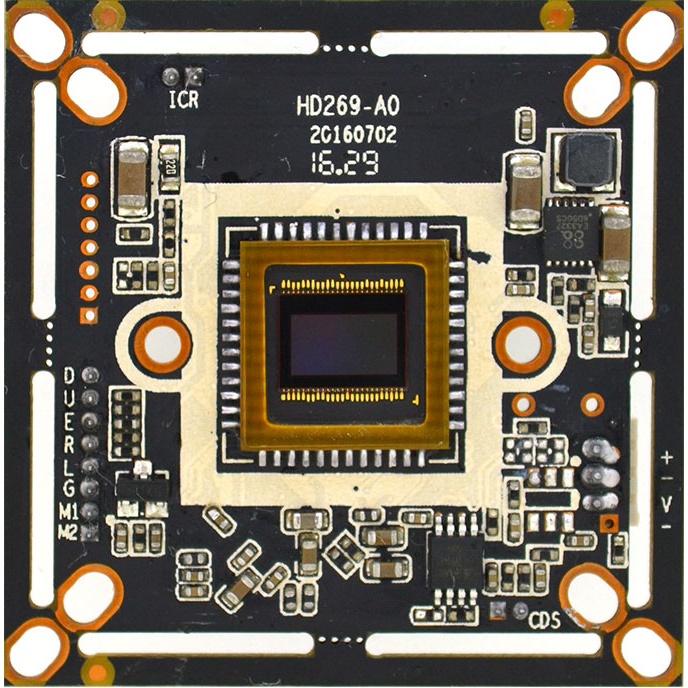
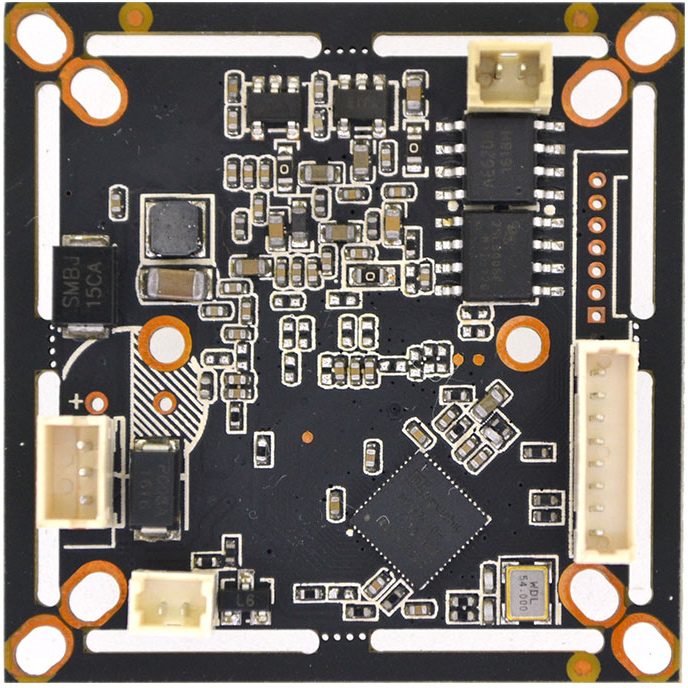
1/3" Aptina AR0330 3MP Nextchip NVP2470 AHD TVI 2 in 1 CCTV security Camera board (Black)
$9.00
Availability:
In stock
Out of stock
Variations
Product Description
Technical Characteristics:
-
Image sensor Aptina AR0330, Output AHD / TVI 3MP / 1080P / 720P / 960H, Effective resolution is up to 2048 * 1536
-
OSD menu supports 12 different languages with strong light inhibition / privacy protection, BLC / DPC, 2D noise reduction function
-
Adopt Nextchip 2470H DSP with OSD function (mirror image, color / white-black, PAL / NTSC)
-
AGC type, day-night effect is distinct, various day-night modes can be switched by OSD menu Support D-WDR
-
Support UTC (Optional), 2-in-1, switched by OSD, Enhancement adjustment supported by OSD
-
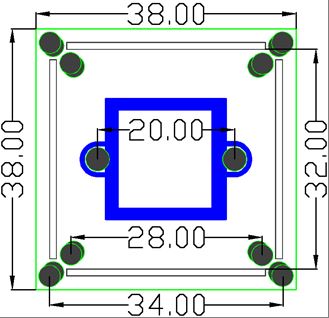
Power (600W) & Video (2KV) dual-lightning protection design, OSP antioxidant PCB, size 32 * 38 dual-board.
| Product parameters | |
| Image Sensor | 1/3" AR0330 |
| Effective Pixels | 2048(H) * 1536(V) |
| Effective resolution | 3MP |
| Signal system | PAL/NTSC (Switched by OSD) |
| Day-night mode | External (default) / Auto / Color / White& black (OSD switch) |
| S/N ratio | ≥41dB |
| Minimum illuminaiton | 0.01LUX |
| BLC | AUTO |
| (AES) Auto electronic shutter | AUTO / 1/50(1/60)-1/50,000sec |
| (AWB)Auto white balance | AUTO |
| IR control voltage input | OFF(DC 0V) / ON(DC 3-8V) |
| OSD language | English/ Simplified Chinese/Traditional Chinese /German /French /Italian/ Spanish/ Polish/ Russian/ Portuguese/ Dutch/ Turkish |
| Video output | AHD / TVI |
| Video record occupation | 1minute about 24MB (4mm lens) |
| Power consumption | DC12V / 62mA ± 6mA (wide voltage 5V-40V) |
| Working temperature | -20°C to 50°C |
OSD Function description :
-
PAL / NTSC: Enter into OSD menu, Enter into option 7 (Adjust), then go into option4 (Output Mode), Choose option 2 (frame rate) to switch Pal / NTSC. 25fps is Pal (default), 30fps is NTSC. Repeat to switch NTSC to Pal system.
-
2-in-1 Switch: Enter into OSD menu, enter into option 7 (Adjust), then go into option 4 (Output Mode), Choose option 1 (Format) Press right button once (press shortly) to change to TVI, press left button to return to AHD. And press Save before exit. (The default is AHD).
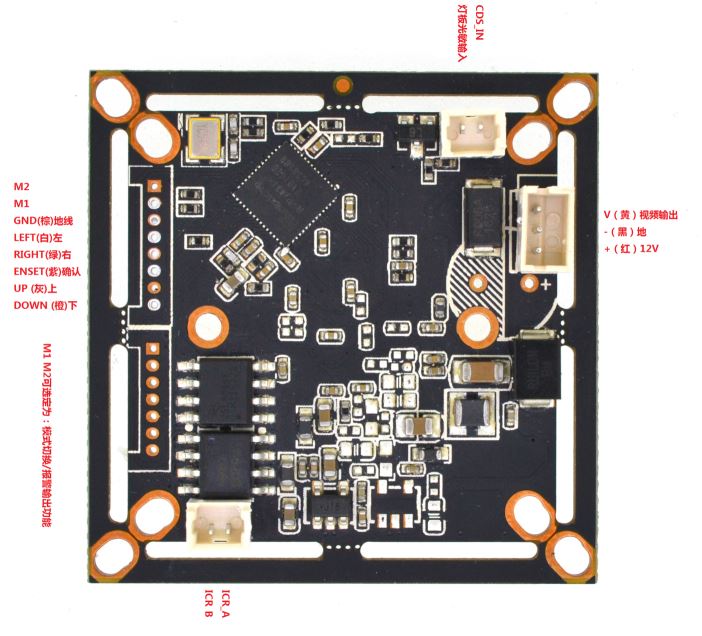
Pin definition:
OSD Menu Port
D Down (Orange)
U Up (Gray)
E Enter (Purple)
R Right (Green)
L Left (White)
G GND (Brown)
M1 M2 Can set to Mode switch or Alarm Output
Power video port
V Yellow
-/G Ground
+ Power+
CDS LED board photoresist
ICR IR-CUT dual filter switch