
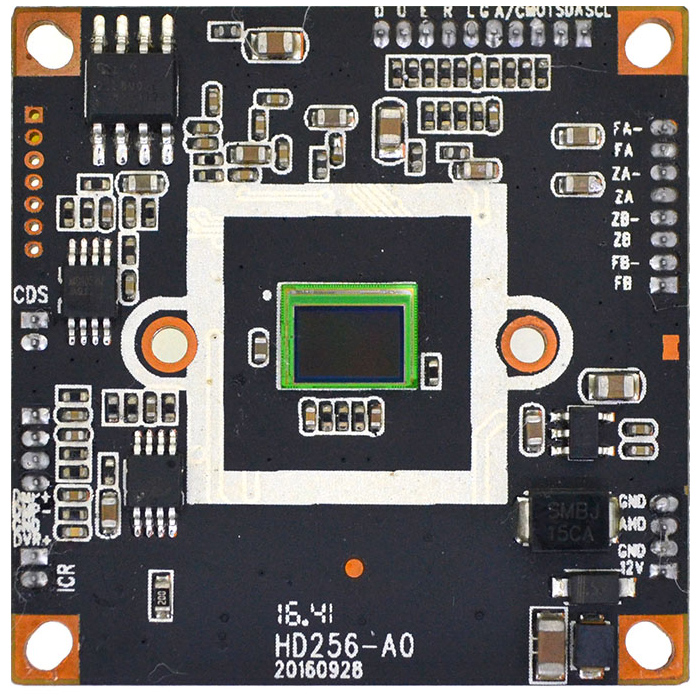
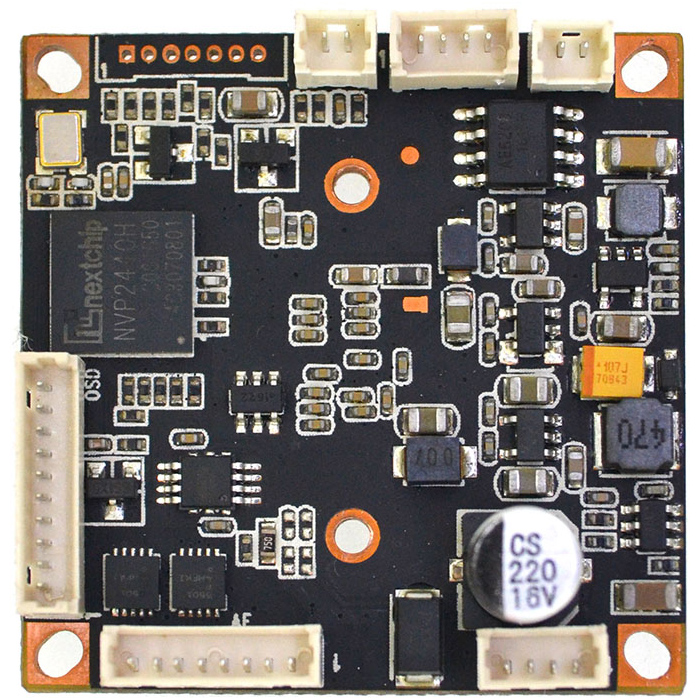
1/2.9" Sony IMX323 1080P 2MP Nextchip 2440H AHD TVI CVI Analog 4 in 1 CCTV security Camera board (Black)
$11.50
Availability:
In stock
Out of stock
Variations
Product Description
Technical Characteristics:
-
IMX323 mega HD image sensor, 1080P, AHD / TVI / CVI / CVBS output, Effective resolution is up to 1920 * 1080 / 960H
-
OSD support 15 different languages, Digital function / BLC, HLC / motion detection / privacy protection, 2D / 3D NR.
-
Adopt Nextchip 2440H DSP with OSD function (mirror image, color / white & black, PAL / NTSC switch)
-
Support 3X AF + UTC + UTC control AF (for 3X AF Specification, pls follow the back of pages)
-
AGC type, day-night effect is distinct, Various Day-night modes can be switched by OSD menu, built-in HOLD picture (freezing) function.
-
Optional support UTC, 4-in-1 output, Output LCD / CRT can be chosen by OSD.
-
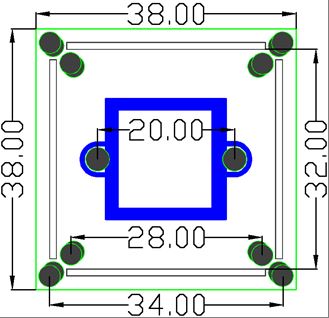
Power (600W) Video (2KV) dual lightning protection design, PCB is OSP antioxidant with 38 * 38 dual board design.
| Product parameters | |
| Image Sensor | 1/2.9" IMX323 |
| Effective Pixels | 1920(H) * 1080(V) |
| Effective resolution | 2MP |
| Signal system | PAL/NTSC (Switched by OSD) |
| Day-night mode | External control(default) / Auto / Color / White& black (OSD switch) |
| S/N ratio | ≥41dB |
| Minimum illuminaiton | 0.01LUX |
| BLC | AUTO |
| (AES) Auto electronic shutter | AUTO / 1/50(1/60)-1/50,000sec |
| (AWB)Auto white balance | AUTO |
| IR control voltage input | OFF(DC 0V) / ON(DC 3-8V) |
| OSD language | English/ Simplified Chinese/Traditional Chinese /German /French/ Italian/ Spanish/ Polish/ Russian/ Portuguese/ Dutch/ Turkish/ Korean/ Japanese/ Hebrew/ Arabic |
| Video output | AHD / TVI / CVI / Analog(CVBS) 1080P & 960H |
| Video record occupation | 1minute about 38.3MB (4mm lens) |
| Power consumption | DC12V / 72mA ± 6mA (wide voltage 9V-18V) |
| Working temperature | -20°C to 50°C |
OSD Function description :
-
PAL / NTSC: Enter into OSD menu, enter into option 8 (Adjust) and then go into option 4 (NTSC / PAL) to switch freely. Press right button (shortly press) once switch to NTSC, twice to switch to PAL. Press left button to return, and press Save before exit. (The default is PAL)
-
4-in-1 switch (shortcut switch): Power on (without enter into main menu), long press the middle button for cyclic switching, first time comes to TVI, second time is CVI, third time is CVBS, fourth time is AHD. (The default output is AHD)
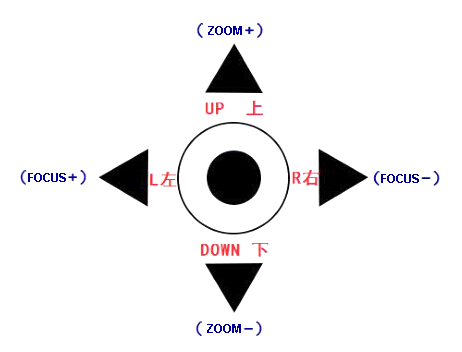
This product supports Auto-focus and zoom function, the matched function for OSD menu shortcut key is as follows:
LEFT (Focus +)
RIGHT (Focus-)
UP (Zoom +)
DOWN (Zoom-)
Instruction for the matched Auto-focus zoom lens: (The firmware should be corresponding with lens millimeter)
(1) M14/2.8-8mm_1/2.7(1.25*8pin)
(2) M14/2.8-12mm_1/2.7(1.25*8pin)
Recommendations for lens:D14-2812IR(3MP)-C-EE / D14-2812IC(R3MP)-C-EE(with ICR)
AF menu function:
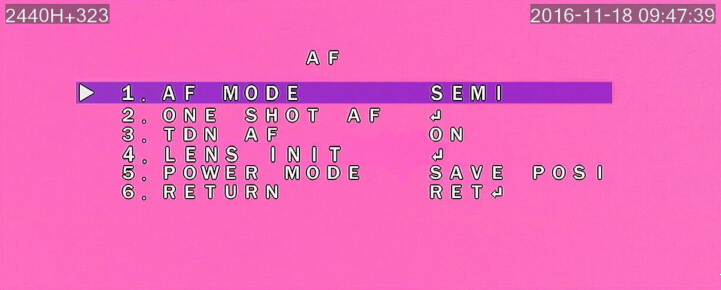
(1)AF MODE:
SEMI: the module will be focused automatically once zooming manually (default)
AUTO:so long as the objects move, the module will focus on it automatically.
MANUAL: zoom manually need focusing manually at each time.
(2)POWER MODE
SAVE POSI: when power on, it can get back to the last position saved before power off (default).
CLOSE:no any change after power on.
WIDE:no mattter which zoom position is lens at before power off, it will back to 2.8mm after power
on.
(3)TDN AF: re-focusing automatically after day& night switch.
(4)LENS INIT: initialize lens
(5)ONE SHOT AF: focus manually for one time
3.3:The operation and notice for adjusting & installing AF electric lens:
(1)Enter into OSD main menu, choose "AF"
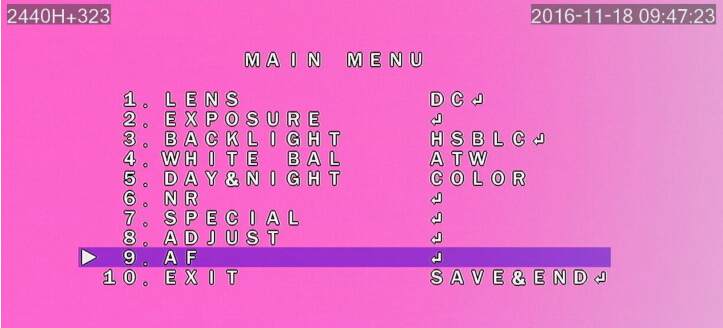
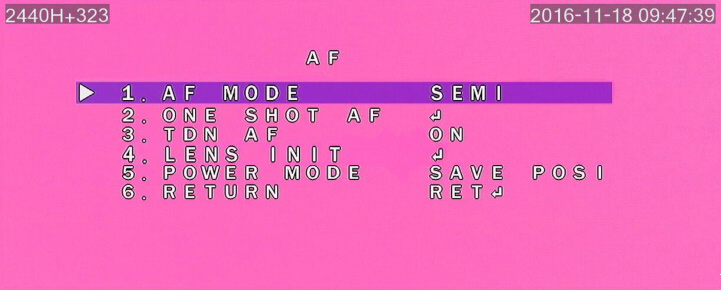
(2) On "AF" option, press the(ENSET)button again to enter into AF and adjust the menu, as the picture below:
(3)Choose the option 4
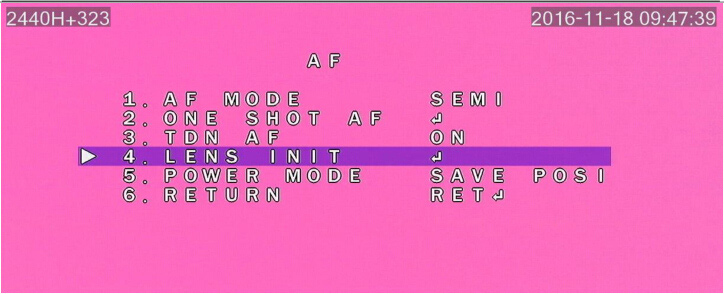
(4)After the initialization of lens, choose option 6--RETURN, choose
(5)The lens initialization has been finished at this moment, you can move on to the next step if the image is focused clearly if not, please operate continually according to the below process:
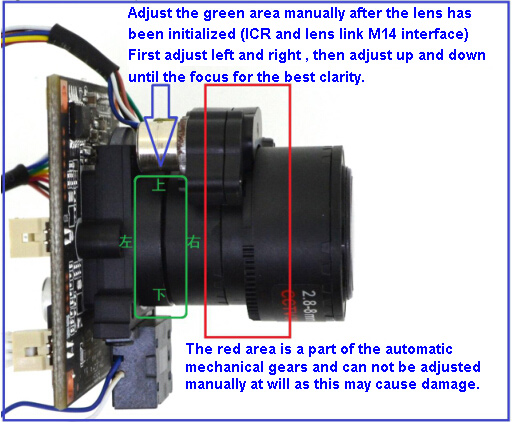
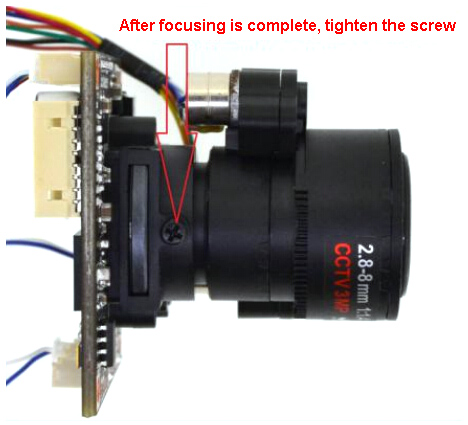
(6)After focusing manually, lock the screw of lens mount tightly, as picture below:
(7)Operate zoom function following by page 3 of 《6-2. Description for OSD menu
shortcut key》
(8)The demo for operating electric zoom function:
The difference after using shortcut key UP (Zoom+) and DOWN (Zoom-):
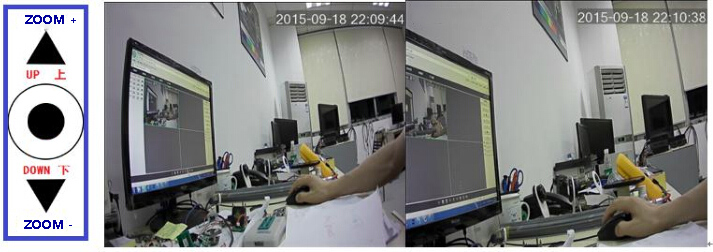
Use the AF lens matched with UTC function of AHD DVR (RS-AT2004/08-B0)
4 、AHD 3X AF special functions:
( 1)The module support M14/2.8-8mm or 2.8-12mm AF lens, support UTC, onboard
optional DC lens (IRIS) functions.
(2)Support connecting DVR through UTC function, it can realize that “mouse wheel”
or “dynamic arrow” control AF zoom, operate “coaxial control” on DVR, zoom and focus
on AF lens, manually focus and auto focus.
(3)Support connecting DVR through UTC function, you can set OSD parameters,
switch AHD 1080P or CVBS 960H output on DVR directly.
( 4 ) OSD with TDN AF function, no matter daytime or night, AF lens will focus
automatically to reach the best image resolution after IR-CUT switched.
Pin definition:
OSD Menu Port
D Down (Orange)
U Up (Gray)
E Enter (Purple)
R Right (Green)
L Left (White)
G GND (Brown)
M1 M2 Can set to Mode switch or Alarm Output
Power video port
V Yellow
-/G Ground
+ Power+
CDS LED board photoresist
ICR IR-CUT dual filter switch