
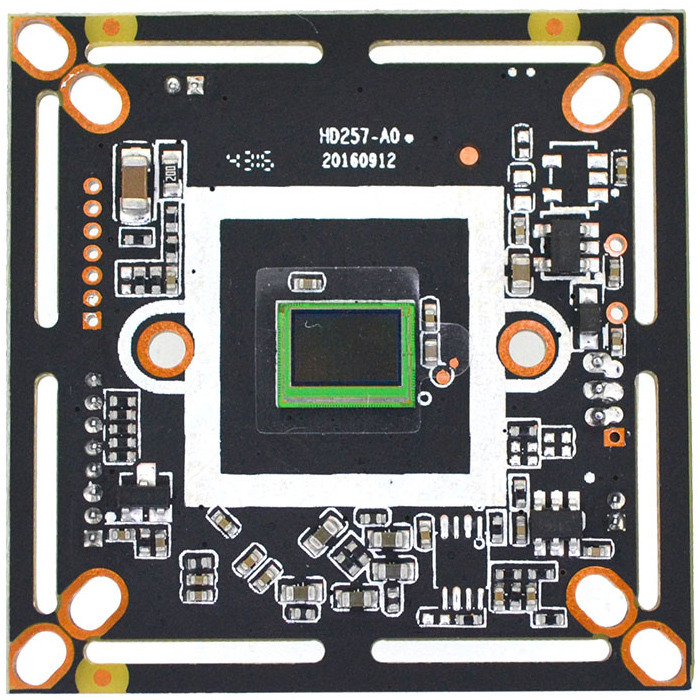
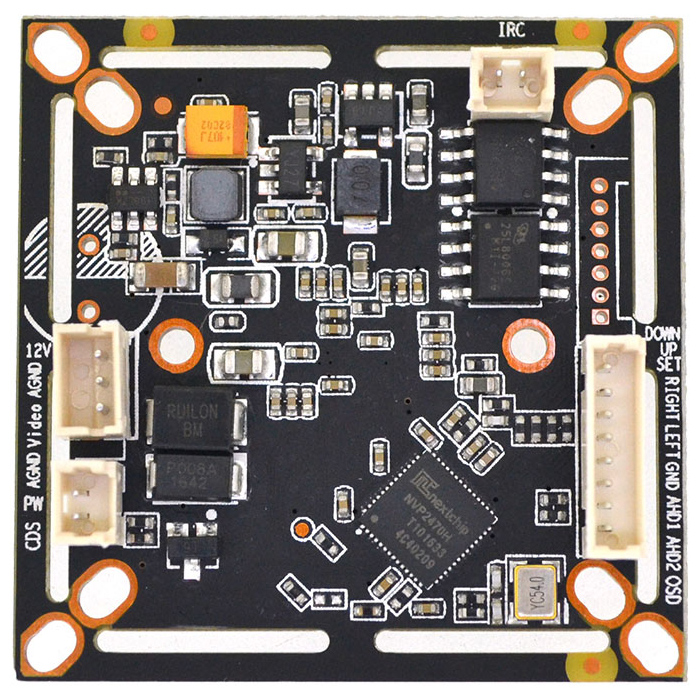
1/2.9" Sony IMX323 1080P 2MP Nextchip 2470H AHD TVI CVI Analog 4 in 1 CCTV security Camera board (Black)
$7.59
Availability:
In stock
Out of stock
Variations
Product Description
Technical Characteristics:
-
IMX323 mega HD image sensor, AHD / TVI / CVI output. Effective resolution is up to 1920 * 1080
-
OSD support 12 different languages, with strong light inhibition / white balance, BLC / DPC, 2D NR function
-
Adopt Nextchip 2470H DSP with OSD function (mirror image, color / white-black, PAL / NTSC)
-
AGC type, day-night effect is distinct, various day-night modes can be switched by OSD menu
-
UTC (optional), 3-in-1, switched by OSD, Enhancement adjusted supported by OSD
-
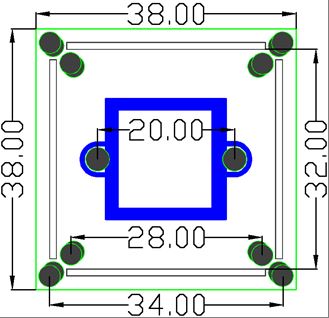
Power (600W) video (2KV) dual-lightning protection design, OSP antioxidant PCB, size 32 * 38 dual board.
| Product parameters | |
| Image Sensor | 1/2.9" IMX323 |
| Effective Pixels | 1920(H) * 1080(V) |
| Effective resolution | 2MP |
| Signal system | PAL/NTSC (Switched by OSD) |
| Day-night mode | External control(default) / Auto / Color / White& black (OSD switch) |
| S/N ratio | ≥41dB |
| Minimum illuminaiton | 0.01LUX |
| BLC | AUTO |
| (AES) Auto electronic shutter | AUTO / 1/50(1/60)-1/50,000sec |
| (AWB)Auto white balance | AUTO |
| IR control voltage input | OFF(DC 0V) / ON(DC 3-8V) |
| OSD language | English/ Simplified Chinese/Traditional Chinese /German /French/ Italian/ Spanish/ Polish/ Russian/ Portuguese/ Dutch/ Turkish |
| Video output | AHD / TVI / CVI |
| Video record occupation | 1minute about 38.3MB (4mm lens) |
| Power consumption | DC12V / 77mA ± 6mA (wide voltage 9V-18V) |
| Working temperature | -20°C to 50°C |
OSD Function description :
-
PAL / NTSC: Enter into OSD menu, Enter into option 7 (Adjust), then go into option 4 (OUTPUT MODE), Choose option 2 (frame rate) to switch PAL / NTSC. Click right button (click shortly) once to switch to 30fps NTSC, twice to switch to 25fps PAL, click left button to return. And press Save before exit. (The default is PAL).
-
3-in-1 switch: Enter into OSD menu, enter into option 7 (Adjust), then go into option 4 (OUTPUT MODE), Choose option 1 (FORMAT) Press right button once (press shortly) to change to CVI, click middle Enter button to switch twice to change to TVI, click middle Enter button to switch press left button to return. And press Save before exit. (The default is AHD)
-
3-in-1 switch (shortcut switch): Power on (without enter into main menu), long press the up button for 5 seconds comes to CVI down button is TVI right button is AHD right button is TVI. (The above standard is defaulted). Customized external switch modes is available. (The default is AHD)
Pin definition:
OSD Menu Port
D Down (Orange)
U Up (Gray)
E Enter (Purple)
R Right (Green)
L Left (White)
G GND (Brown)
M1 M2 Can set to Mode switch or Alarm Output
Power video port
V Yellow
-/G Ground
+ Power+
CDS LED board photoresist
ICR IR-CUT dual filter switch